totp.md - www.codemadness.org - www.codemadness.org saait content files
(HTM) git clone git://git.codemadness.org/www.codemadness.org
(DIR) Log
(DIR) Files
(DIR) Refs
(DIR) README
(DIR) LICENSE
---
totp.md (1859B)
---
1 This describes how to use 2FA without using crappy authenticator "apps" or a
2 mobile device.
3
4
5 ## Install
6
7 On OpenBSD:
8
9 pkg_add oath-toolkit zbar
10
11 On Void Linux:
12
13 xbps-install oath-toolkit zbar
14
15 There is probably a package for your operating system.
16
17 * oath-toolkit is used to generate the digits based on the secret key.
18 * zbar is used to scan the QR barcode text from the image.
19
20
21 ## Steps
22
23 Save the QR code image from the authenticator app, website to an image file.
24 Scan the QR code text from the image:
25
26 zbarimg image.png
27
28 An example QR code:
29
30 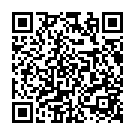
31
32 The output is typically something like:
33
34 QR-Code:otpauth://totp/Example:someuser@codemadness.org?secret=SECRETKEY&issuer=Codemadness
35
36 You only need to scan this QR-code for the secret key once.
37 Make sure to store the secret key in a private safe place and don't show it to
38 anyone else.
39
40 Using the secret key the following command outputs a 6-digit code by default.
41 In this example we also assume the key is base32-encoded.
42 There can be other parameters and options, this is documented in the Yubico URI
43 string format reference below.
44
45 Command:
46
47 oathtool --totp -b SOMEKEY
48
49 * The --totp option uses the time-variant TOTP mode, by default it uses HMAC SHA1.
50 * The -b option uses base32 encoding of KEY instead of hex.
51
52 Tip: you can create a script that automatically puts the digits in the
53 clipboard, for example:
54
55 oathtool --totp -b SOMEKEY | xclip
56
57
58 ## References
59
60 * [zbarimg(1) man page](https://linux.die.net/man/1/zbarimg)
61 * [oathtool(1) man page](https://www.nongnu.org/oath-toolkit/man-oathtool.html)
62 * [RFC6238 - TOTP: Time-Based One-Time Password Algorithm](https://datatracker.ietf.org/doc/html/rfc6238)
63 * [Yubico.com - otpauth URI string format](https://docs.yubico.com/yesdk/users-manual/application-oath/uri-string-format.html)